Global Email Reporting
Receive periodic email digests summarizing backup activity across all your plans. Reports include statistics on successful backups, failures, and overall backup health.
Prerequisites
- At least one email integration configured (SMTP, SendGrid, Mailgun, Brevo, Resend, or AWS SES)
- Pluton PRO license
Configuring Email Reports
- Navigate to Settings → Reporting tab
- Configure the following options:
Report Frequency
Enable one or more reporting frequencies:
| Option | Description |
|---|---|
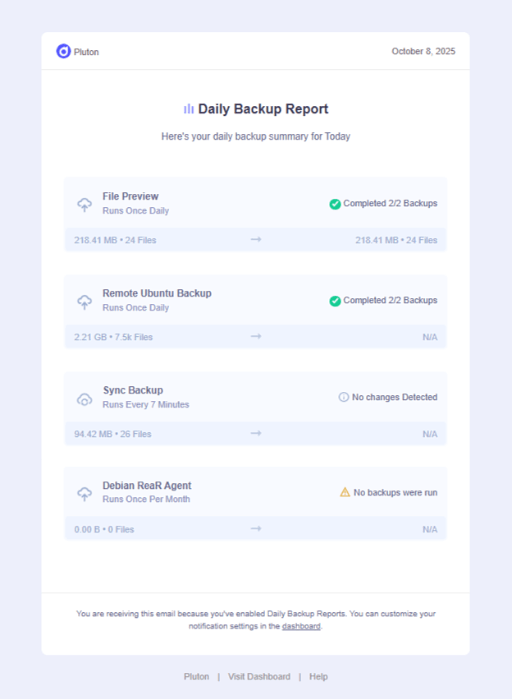
| Enable Daily Reporting | Receive a report every day summarizing the previous 24 hours |
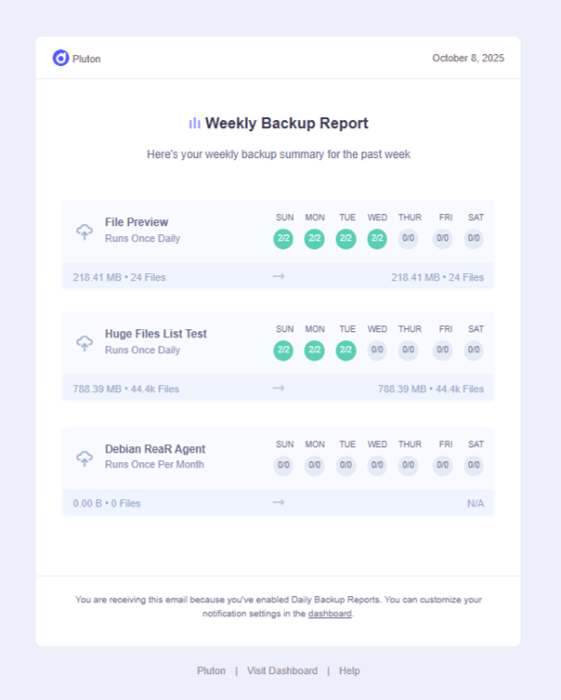
| Enable Weekly Reporting | Receive a report every week summarizing the previous 7 days |
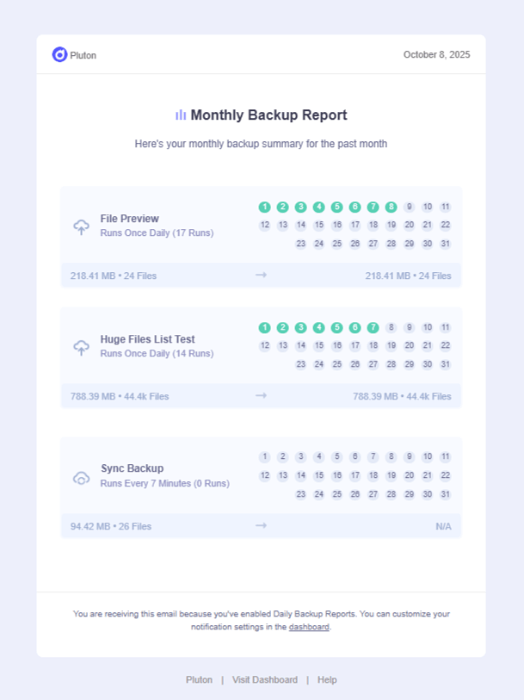
| Enable Monthly Reporting | Receive a report at the start of each month summarizing the previous month |
Report Recipients
- Send Reports to Emails: Enter one or more email addresses (comma-separated)
- Example:
[email protected], [email protected]
- Example:
Email Integration
- Send Email Using: Select which configured email integration to use for sending reports
- Only integrations that have been set up and validated will appear in the dropdown
- Save your settings
Report Contents
Each email report includes:
- Summary Statistics: Total plans, successful runs, failed runs
- Plan-by-Plan Breakdown: Status of each backup plan during the reporting period
- Storage Usage: Data on storage consumption
- Failure Details: Information about any failed backup runs
Daily Report Email Screenshot
Weekly Report Email Screenshot
Monthly Report Email Screenshot
Setting Up Email Integration
Before enabling reports, you must configure at least one email integration. See Setting up Email Notifications for detailed instructions on configuring:
- SMTP
- SendGrid
- Mailgun
- Brevo
- Resend
- AWS SES